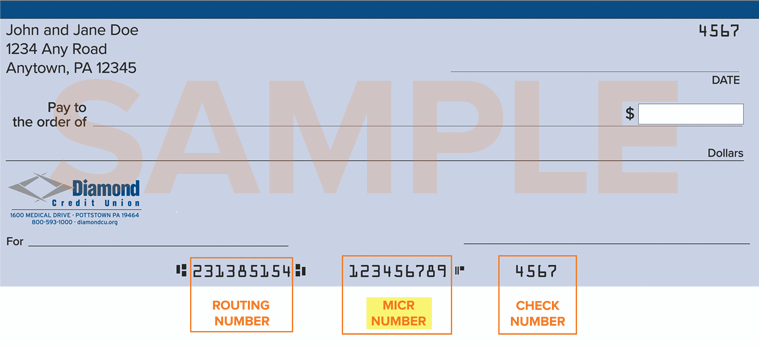
Your MICR Number and Where to Find It
You will be required to know your MICR number to use the FedNow Service. Your MICR number is NOT THE SAME as your Diamond account/member number or Diamond’s routing number. Your MICR number is unique to your Diamond account and can be found at any of these three locations:
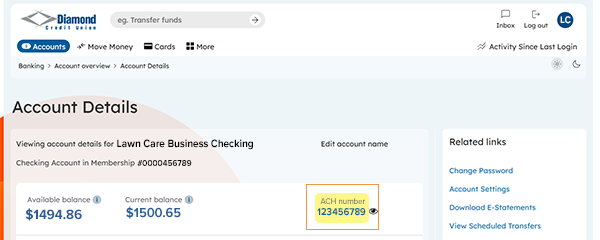
Diamond’s Digital Banking on Desktop
Login to your account. From the Home Page, locate your Checking Account. The MICR number can be found on the right side of your account details under “ACH number”, click the eye icon to view.
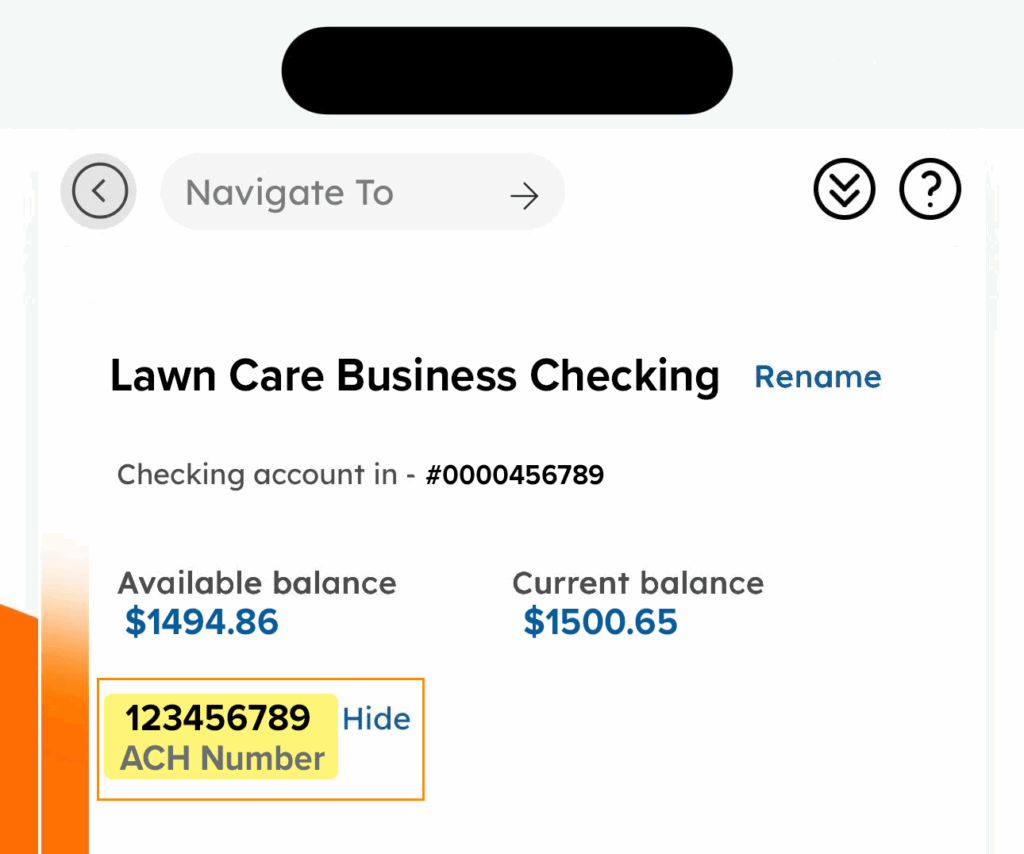
Diamond’s Mobile Banking App
Login to your account. Select Checking Account. The MICR number can be found above “ACH Number”, after tapping “Show”.
Diamond Account Checks
Your MICR number can be located at the bottom of your Diamond Credit Union paper checks: